Understanding the Booking Webhook
What does it do?
The booking webhook notifies you in real-time when a booking is created, amended, or cancelled. This allows you to update your systems immediately rather than relying solely on polling.
Why use it?
Without the booking webhook, you must poll GET /v1/bookings to discover new or changed bookings. The webhook improves efficiency by pushing notifications to you as events occur.
How does it work?
- Self-enrol for the BOOKING webhook
- Implement
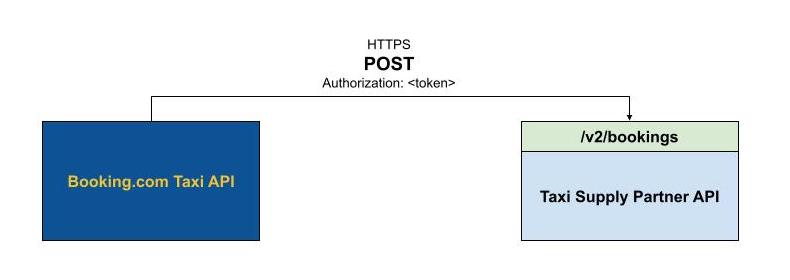
POST /v2/bookingsto receive new booking notifications - Implement
PATCH /v2/bookings/:bookingReferenceto receive amendments and cancellations - When you receive a notification, call
GET /v1/bookings/:customerReference/:bookingReferenceto retrieve the full booking details
No retry logic
The booking webhook has no retry logic. If your server is unavailable or returns an error, the notification will not be resent. You must continue polling GET /v1/bookings as a backup to catch any missed notifications.
Note
The booking webhook is a notification trigger — it does not carry the full booking payload. Always call the V1 single booking endpoint to retrieve complete details after receiving a webhook notification.
Your API must be served via HTTPS with a valid SSL certificate and secured using OAuth 2.0 authentication.
Further reading
- Booking Webhook, what is it for? — Overview, fire-and-forget explanation, V1 backup requirement
- API: Integration FAQ — "V2 webhook is notification-only, must call V1 for full details"