Understanding the Search Webhook
What does it do?
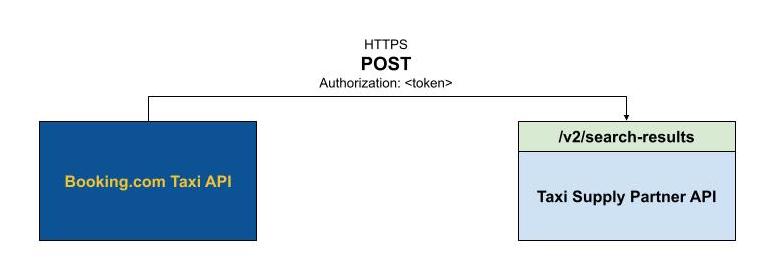
The search webhook enables Booking.com to retrieve real-time prices for journeys from your system. When a customer searches for a taxi, we send you the trip details and you respond with pricing per vehicle category.
The search webhook also supports Genius discounts — special discounts for Booking.com's most loyal, high-value customers. By returning Genius pricing, you can increase visibility and bookings from this customer segment.
Why use it?
If you want your rates available on Booking.com Taxi, you must implement the search webhook. It replaces portal-based rate management with real-time, programmatic pricing.
Warning
Once using API rates via the search webhook, all Portal tools (Stopsales, Campaigns, Night Fees, etc.) will not work for API-managed rates.
How does it work?
- Implement the
POST /v2/search-resultsendpoint on your server - Register your webhook base URL with Booking.com
- For each customer search, Booking.com sends you origin, destination, passenger count, and pickup time
- You respond with one rate per vehicle category (transport category)
Key requirements
- Your API must be served via HTTPS with a valid SSL certificate
- You must implement OAuth 2.0 authentication for Booking.com to call your endpoints
- Respond within 5 seconds — results returned after this are not shown to the customer. The SLA target is under 2.5 seconds.
- Only
latitudeandlongitudeare guaranteed in every request. Address parts (name, city, postcode) are provided when available but should not be relied upon for rate calculation. - At airport pickup locations, rates should include meet & greet costs.
Further reading
- How can I manage my rates via API? — Implementation steps, best practices, Portal limitations
- Activate Genius Via API Rates — Genius percentage limits, tracking co-funded bookings
- Sustainability - Electric Taxi — ELECTRIC_STANDARD and ELECTRIC_LUXURY vehicle types